
RoyalAlert: A Modern JavaScript Alert Library from Royal Technologies
Web applications constantly need to communicate with users. Whether it is a successful form submission, an error message, a confirmation before deleting data, a loading process, or a small notification, these interactions are an essential part of a good user experience.
For developers looking for a lightweight solution without unnecessary dependencies, RoyalAlert offers a modern JavaScript-based approach.
Developed by Royal Technologies, RoyalAlert is a lightweight, dependency-free alert, dialog, toast, prompt, and notification library designed for modern web applications.
GitHub Repository:
https://github.com/Royal-Technologies/RoyalAlert
Live Demo:
https://royal-technologies.github.io/RoyalAlert/demo/index.html
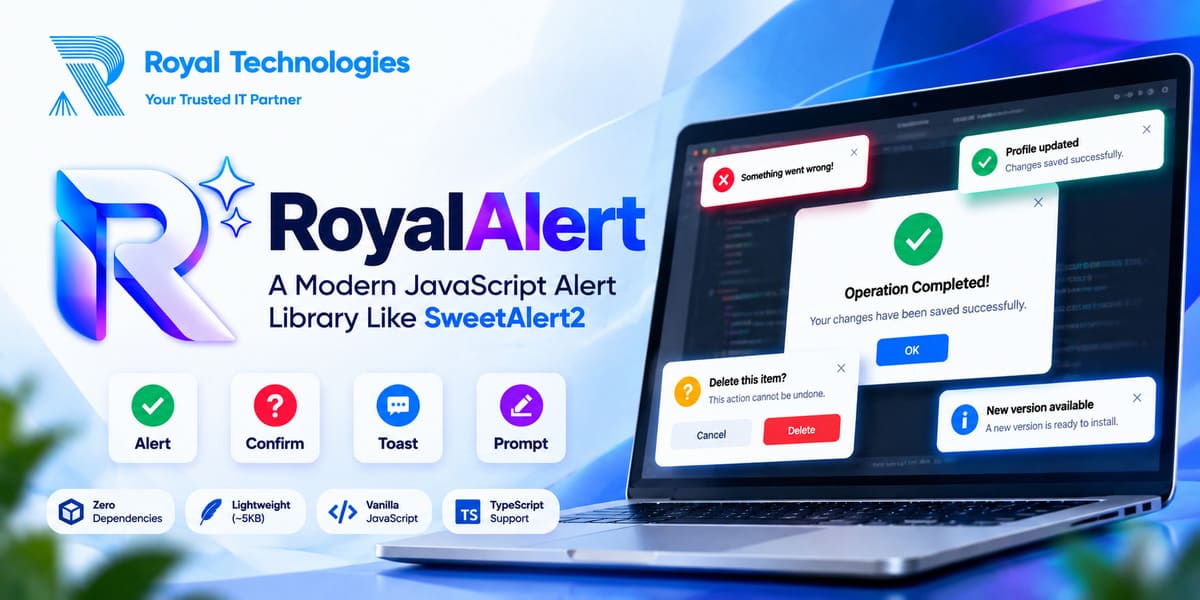
What is RoyalAlert?
RoyalAlert is a Vanilla JavaScript alert and dialog library that provides a collection of ready-to-use user interaction components.
Instead of creating custom modal dialogs, confirmation boxes, toast notifications, loading indicators, and validation interfaces for every project, developers can use RoyalAlert’s API.
The library is designed to work without jQuery, Bootstrap, or other external JavaScript dependencies.
A Lightweight Alternative to SweetAlert2
SweetAlert2 is a well-known JavaScript library for creating modern alerts and dialogs.
RoyalAlert follows a similar concept while focusing on a lightweight, dependency-free implementation.
It can be considered as an alternative for developers who need features such as:
- Alert dialogs
- Confirmation dialogs
- Toast notifications
- Prompt dialogs
- Loading states
- Progress indicators
- Custom HTML
- Custom buttons
- Theme support
- Async operations
- TypeScript support
The choice between RoyalAlert and another library ultimately depends on the requirements of each project.
Simple JavaScript API
One of the main goals of RoyalAlert is to keep the API simple.
A basic success message can be displayed with:
RoyalAlert.fire({
    title: 'Success',
    text: 'Operation completed successfully.',
    icon: 'success'
});
Developers can use similar configurations for error, warning, information, and question dialogs.
This makes the library easy to integrate into existing JavaScript applications.
Confirmation Dialogs
Confirmation dialogs are commonly required when users perform potentially destructive actions such as deleting a record.
RoyalAlert provides a Promise-based confirmation API:
const result = await RoyalAlert.confirm({
    title: 'Delete this item?',
    text: 'This action cannot be undone.',
    icon: 'warning'
});

if (result.isConfirmed) {
    // Delete the item
}
This approach works naturally with modern asynchronous JavaScript.
Toast Notifications
Not every message needs a full-screen modal.
For small status messages such as successful updates, saved data, or background actions, toast notifications are often more appropriate.
RoyalAlert provides toast notifications with configurable positions and options.
RoyalAlert.toast({
    title: 'Profile updated',
    icon: 'success',
    position: 'top-end'
});
Multiple positions allow developers to place notifications where they best fit the interface.
Prompt and Input Support
Some applications need to collect small pieces of information directly from users.
RoyalAlert includes prompt functionality that can be used for different types of input.
For example:
const result = await RoyalAlert.prompt({
    title: 'Enter your name',
    inputType: 'text',
    inputPlaceholder: 'Your name'
});
Input validation can also be used to make sure that the submitted information meets the application’s requirements.
Async Operations
Modern web applications frequently communicate with APIs and servers.
During an asynchronous operation, users need clear feedback about what is happening.
RoyalAlert provides functionality for handling loading, success, and error states around asynchronous operations.
This can be useful for:
- API requests
- Form submissions
- Data processing
- File operations
- AJAX workflows
- Server-side actions
The result is a clearer interaction between the application and its users.
Progress Indicators
Some operations take longer than a normal request.
File uploads, data processing, report generation, and other tasks may require a progress indicator.
RoyalAlert provides progress-related functionality that can be used to communicate the current state of an operation.
This helps users understand that an operation is still running rather than assuming that the application has stopped responding.
Light, Dark and Auto Themes
Modern applications increasingly support dark mode.
RoyalAlert includes theme options that allow developers to use light, dark, or automatic themes.
For example:
RoyalAlert.config({
    theme: 'auto'
});
With automatic theme selection, the interface can follow the user’s system color preference.
Custom HTML and Buttons
Different applications require different dialog layouts.
RoyalAlert supports custom HTML content and configurable buttons, giving developers more control over the appearance and behavior of dialogs.
This makes it possible to create interactions beyond a simple title and message.
Accessibility Considerations
Modern UI components should not only look good but should also work for users who rely on keyboard navigation or accessibility features.
RoyalAlert includes features such as keyboard interaction, focus management, ARIA-related support, and reduced-motion considerations.
The library also provides support for respecting users who have enabled reduced motion preferences on their devices.
TypeScript Support
RoyalAlert also provides TypeScript support, making it easier to integrate into modern TypeScript projects.
Type definitions can provide better editor autocomplete, API visibility, and type checking while developers are working with the library.
No jQuery or Bootstrap Required
A major advantage of RoyalAlert is its independent architecture.
Developers do not need to install jQuery or Bootstrap simply to create an alert or notification.
This can be particularly useful for:
- Vanilla JavaScript websites
- WordPress plugins
- Custom dashboards
- SaaS applications
- Admin panels
- PHP applications
- Laravel projects
- React or other frontend environments where a standalone utility is preferred
WordPress-Friendly
RoyalAlert can also be useful for WordPress developers.
Custom WordPress plugins and themes frequently need confirmation dialogs, success messages, AJAX notifications, and admin alerts.
Because RoyalAlert does not require jQuery or Bootstrap, developers can integrate it into WordPress projects without adding those frameworks solely for notification functionality.
AI-Friendly Documentation
One interesting aspect of the RoyalAlert project is its focus on documentation for the growing world of AI-assisted development.
Developers now use tools such as ChatGPT, Claude, Gemini, and GitHub Copilot to generate and modify code.
For an AI coding assistant to use a JavaScript library correctly, it needs accurate information about the library’s API.
RoyalAlert’s documentation provides technical information about its API, global object, module usage, CSS conventions, Promise results, security considerations, accessibility behavior, and other implementation details.
This makes the project easier for both human developers and AI-assisted development tools to understand.
Why AI-Friendly Documentation Matters
Imagine a developer asking an AI coding assistant:
Create a delete confirmation using RoyalAlert.If the AI has access to clear documentation and examples, it can use the actual RoyalAlert API instead of guessing how the library works.
This is becoming increasingly important as AI-assisted programming becomes a regular part of software development.
For this reason, modern open-source projects can benefit from providing:
- Clear README files
- API documentation
- Real code examples
- Package metadata
- Changelogs
- Project instructions
- Machine-readable documentation
- AI-oriented documentation resources
RoyalAlert is being structured with these considerations in mind.
Open Source Project
RoyalAlert is available through the Royal Technologies GitHub organization.
Developers can explore the source code, review the implementation, test the demo, follow releases, and contribute to the project.
RoyalAlert GitHub:
https://github.com/Royal-Technologies/RoyalAlert
The project also includes source files, distribution builds, TypeScript definitions, tests, and demo resources.
Who Can Use RoyalAlert?
RoyalAlert can be useful for a wide range of developers and projects, including:
Web Developers
For creating modern alerts, dialogs, and notifications.
WordPress Developers
For custom themes and plugins.
PHP and Laravel Developers
For frontend feedback in server-based applications.
SaaS Developers
For dashboards, forms, account management, and application notifications.
Frontend Developers
For lightweight user interaction without introducing another UI framework.
AI-Assisted Developers
For projects where coding assistants are used alongside structured documentation.
Getting Started
The easiest way to explore RoyalAlert is through the official demo.
Live Demo:
https://royal-technologies.github.io/RoyalAlert/demo/index.html
Developers can experiment with alerts, confirmations, toast notifications, prompts, themes, animations, and other available features before integrating the library into a project.
The source code and installation instructions are available on GitHub.
Repository:
https://github.com/Royal-Technologies/RoyalAlert
The Future of Developer Tools
The way developers discover and use software libraries is changing.
Previously, developers primarily searched Google, documentation websites, GitHub repositories, and package registries.
Today, AI coding assistants are becoming another important way to discover APIs and generate implementation code.
This means that good software documentation needs to serve more than one audience.
It should be understandable to developers, searchable by search engines, structured for documentation systems, and clear enough for AI-assisted coding tools to interpret accurately.
RoyalAlert is being developed with this changing development ecosystem in mind.
Conclusion
RoyalAlert is a lightweight JavaScript library designed to simplify alerts, dialogs, confirmations, toast notifications, prompts, loading states, and other user interactions.
Its dependency-free architecture, modern API, theme support, asynchronous workflow, TypeScript support, accessibility considerations, and WordPress-friendly approach make it suitable for a variety of web projects.
More importantly, RoyalAlert represents an effort to build a modern open-source project where code, documentation, developer experience, and AI-assisted development can work together.
For developers looking for a lightweight JavaScript alert and dialog solution, RoyalAlert is now available to explore through its official demo and GitHub repository.
Official Links
RoyalAlert Demo:
https://royal-technologies.github.io/RoyalAlert/demo/index.html
RoyalAlert GitHub:
https://github.com/Royal-Technologies/RoyalAlert
Royal Technologies:
https://www.royaltechbd.com
RoyalAlert
A modern JavaScript Alert, Dialog & Toast Library by Royal Technologies.