
RoyalQR Studio: Free QR Code Generator Online
Create beautiful, high-resolution, and customizable QR codes for your business, website, Wi-Fi, contact information, social media, and more with RoyalQR Studio.
QR codes have become an essential part of modern digital communication. From business cards and product packaging to restaurant menus, marketing materials, and event invitations, QR codes help people access information quickly with a simple scan.
To make QR code creation easier and more flexible, Royal Technologies introduces RoyalQR Studio, a free online QR code generator designed to help individuals, businesses, designers, and marketers create professional, personalized QR codes directly from their web browsers.
Explore the tool here: https://royal-technologies.github.io/RoyalQR/
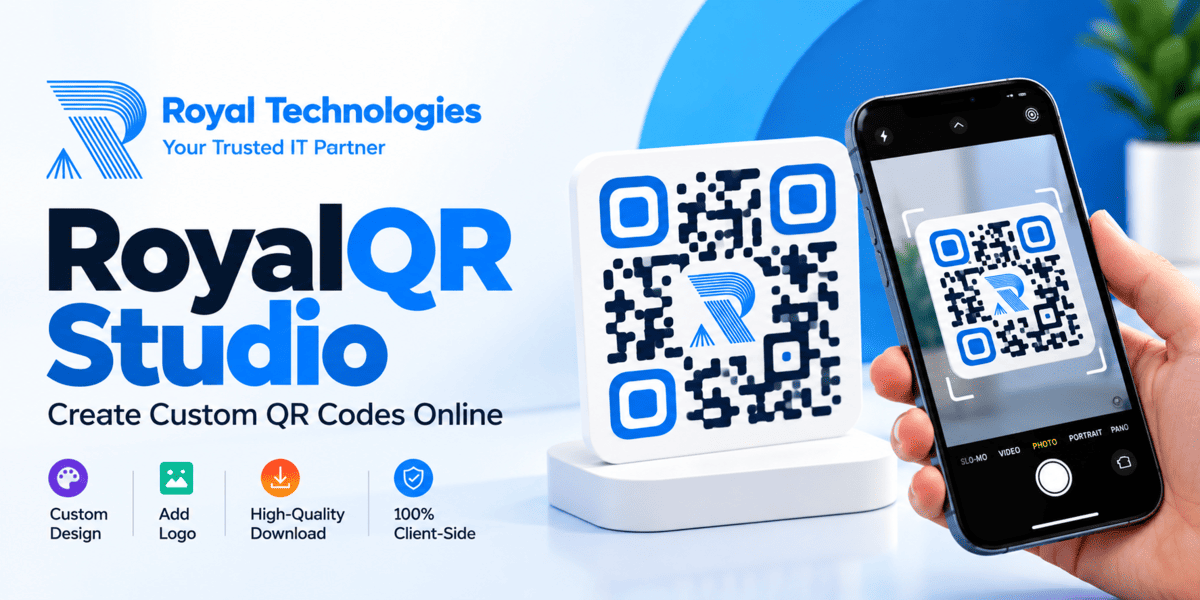
What Is RoyalQR Studio?
RoyalQR Studio is a browser-based QR code creation tool developed by Royal Technologies. It allows users to generate QR codes for different types of information and customize their appearance without installing additional software.
Unlike basic QR code generators that offer limited design options, RoyalQR Studio provides controls for colors, patterns, corner shapes, logos, backgrounds, frames, and export formats.
Whether you need a simple QR code for your website or a branded QR code for a marketing campaign, the tool offers a practical way to create designs that match your requirements.
Key Features of RoyalQR Studio
1. Generate QR Codes for Multiple Purposes
RoyalQR Studio supports a wide range of QR code content types, making it useful for personal, professional, and commercial applications.
Supported options include:
- Website URLs
- Plain text
- Wi-Fi network details
- vCard and contact information
- WhatsApp conversations
- Email messages
- Phone numbers
- SMS messages
- Cryptocurrency payment information
- Social media profiles
- Event information
For example, a business can create a QR code that opens its website, a restaurant can share Wi-Fi access details, and a professional can place a contact QR code on a business card.
2. Customize QR Code Colors and Patterns
A QR code does not have to be a plain black-and-white square. RoyalQR Studio lets you personalize its visual appearance to suit your brand identity.
You can customize:
- Dot patterns and shapes
- Single colors or gradient colors
- Gradient direction
- Outer corner frame shapes
- Inner corner dot shapes
- Background colors
- Transparent backgrounds
These options make it easier to create QR codes that complement your website, business cards, promotional materials, and product packaging.
For the best scanning results, use strong contrast between the QR code and its background.
3. Add Your Company Logo
Branding is important when using QR codes in professional materials.
RoyalQR Studio supports built-in brand icons and custom logo uploads in PNG, SVG, and JPG formats. You can adjust the logo size, change its spacing, and remove the QR code dots behind the logo to create a cleaner appearance.
This feature is particularly useful for businesses that want their QR codes to reflect their corporate identity.
For reliable scanning, keep the logo reasonably small and test the finished QR code with multiple devices before printing it.
4. Create Professional QR Code Designs with Frames
To encourage people to scan a QR code, its purpose should be clear.
RoyalQR Studio offers several frame layouts, including bottom banners, top banners, Polaroid-style cards, pill badges, and frameless designs.
You can also customize the banner text, background, and text color.
For example, you can add messages such as:
- Scan to Visit Our Website
- Scan for More Information
- Scan to Contact Us
- Scan to Connect on WhatsApp
These labels help communicate what users can expect after scanning the code.
5. High-Resolution Downloads in Multiple Formats
A QR code may be used on a small business card or a large promotional banner. The output format therefore matters.
RoyalQR Studio provides several export options:
- PNG: Suitable for websites, presentations, and general digital use.
- SVG: A vector format that is useful for scalable designs and professional print workflows.
- PDF: Convenient for print-oriented workflows.
- WEBP: Useful for compatible web applications and digital content.
- JPEG: Suitable for many general-purpose image applications.
You can also select the export resolution for supported downloads.
For large-format printing, SVG is often a good choice because vector graphics can scale without the pixelation associated with raster images.
6. Live Preview and QR Code Verification
Designing a QR code is only part of the process. It must also remain readable.
RoyalQR Studio includes a live QR code preview so you can review your design as you customize it. The interface also provides a scanner verification option to help check the generated code.
Before using a QR code in a public campaign, test it with different smartphone cameras and scanning applications. Pay particular attention to codes containing logos, unusual colors, or decorative patterns.
7. Ready-to-Use Design Presets
Not everyone wants to customize every detail manually.
RoyalQR Studio includes design presets that let users apply preconfigured visual styles. These presets make it easier to produce attractive QR codes without spending too much time adjusting individual settings.
You can also use the randomize option to explore alternative designs and reset the settings when you want to start again.
8. A Browser-Based Tool with a Privacy-Focused Approach
One of the important characteristics of RoyalQR Studio is its client-side design. The tool describes itself as 100% client-side and states that it uses zero tracking.
This means QR code generation and design customization are intended to happen within the browser rather than requiring a traditional server-side QR generation workflow.
For users, this offers a convenient and privacy-focused approach to creating QR codes.
However, client-side processing should not be confused with a guarantee that every possible input or browser interaction is private. Avoid placing passwords, confidential business information, or sensitive personal data into a QR code unless you fully understand how that information will be used and shared.
How to Create a QR Code with RoyalQR Studio
Getting started is straightforward.
Step 1: Open RoyalQR Studio
Visit the official tool:
https://royal-technologies.github.io/RoyalQR
Step 2: Choose Your QR Code Type
Select the content type you want to encode, such as a website URL, plain text, Wi-Fi details, contact information, WhatsApp, email, or social media.
Step 3: Enter Your Information
Provide the relevant details. For example, enter your website address if you want to create a QR code that directs visitors to your website.
Step 4: Customize the Design
Choose your preferred colors, dot patterns, corner shapes, background, logo, and frame. Adjust the settings until the design matches your requirements.
Step 5: Preview and Test
Review the live preview and use the available verification option. Scan the QR code with a smartphone to confirm that it opens the correct information.
Step 6: Download Your QR Code
Choose a suitable export format, such as PNG, SVG, PDF, WEBP, or JPEG, and download your finished design.
Your QR code is now ready to use in your digital or printed materials.
Who Can Benefit from RoyalQR Studio?
RoyalQR Studio can support a wide range of users.
Small Businesses: Add QR codes to business cards, brochures, invoices, product packaging, and storefront materials.
Digital Marketers: Create branded QR codes for promotional campaigns, advertisements, landing pages, and marketing collateral.
Restaurants and Cafes: Share website links, Wi-Fi details, and contact information through easily accessible QR codes.
Freelancers and Professionals: Include contact details and portfolio links on business cards, resumes, and presentations.
Event Organizers: Encode event details and location information in QR codes for invitations and promotional materials.
Designers and Agencies: Generate customized QR codes that complement client branding and creative projects.
Individuals: Share website links, contact information, social profiles, and other useful information without requiring recipients to type long URLs manually.
Why Choose RoyalQR Studio?
RoyalQR Studio combines practical QR code generation with visual customization in a single browser-based interface.
Its key advantages include:
- Free online access
- No additional software installation required
- Multiple QR code content types
- Custom colors, patterns, and frames
- Support for custom logos
- Live preview and scanner verification
- Multiple download formats
- Design presets for faster customization
- A client-side, privacy-focused approach
Together, these features make RoyalQR Studio a useful option for people who want more control over the appearance and format of their QR codes.
Tips for Creating Better QR Codes
A visually attractive QR code is valuable only when people can scan it successfully. Follow these practical recommendations:
- Use sufficient contrast between the foreground and background.
- Avoid making the logo too large or covering too much of the code.
- Choose a suitable export format for your intended use.
- Test the QR code before sending it to a printer.
- Make sure the encoded URL is correct and accessible.
- Keep enough clear space around the QR code.
- Use a clear call to action so people know why they should scan it.
- If the code will be printed, test it at the actual size and under realistic lighting conditions.
Following these guidelines will help improve usability across different devices and applications.
Start Creating Your Custom QR Codes Today
QR codes offer a simple way to connect printed materials, physical locations, and digital information. With the right design, they can also become a natural extension of your brand identity.
RoyalQR Studio by Royal Technologies brings QR code generation, design customization, logo integration, live preview, and flexible export options together in one convenient online tool.
Whether you are promoting a business, sharing contact information, preparing an event, or creating branded marketing materials, RoyalQR Studio gives you a practical starting point.
Create your first custom QR code today.
Visit RoyalQR Studio: https://royal-technologies.github.io/RoyalQR/
Learn more about Royal Technologies and its digital solutions: