
Elementor Review 2026: Features, Pricing, Pros & Cons
If you are planning to build a WordPress website, you have probably come across Elementor. It has become one of the most widely used website builders in the WordPress ecosystem, mainly because it allows users to design websites visually without having to write code for every part of the page.
But with so many WordPress page builders available today, is Elementor still worth using in 2026?
In this review, we will take a closer look at Elementor, its features, pricing, Elementor Free vs Pro, Elementor One, WooCommerce support, performance, advantages and disadvantages, and whether it is a good choice for your WordPress website.
What Is Elementor?
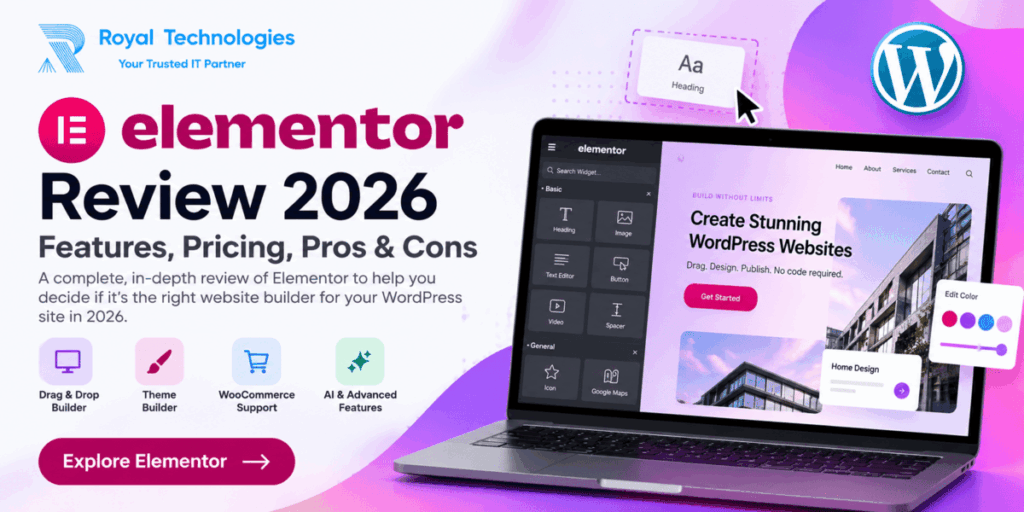
Elementor is a visual website builder for WordPress that lets you create and customize websites using a drag-and-drop interface.
Instead of designing a page entirely through the standard WordPress editor or writing custom HTML and CSS for every section, you can use Elementor to visually build your website and see the changes as you make them.
You can add headings, text, images, buttons, videos, forms, galleries and many other elements to a page and customize their appearance directly from the Elementor editor.
This makes Elementor useful for beginners as well as professional WordPress designers and developers.
Elementor can be used to build many different types of websites, including business websites, blogs, portfolios, agency websites, landing pages, online stores, educational websites and service-based websites.
How Does Elementor Work?
Elementor works directly with WordPress.
After installing Elementor, you can open a page and launch the Elementor editor. From there, you can add different widgets and arrange them on the page using the visual interface.
You can then customize typography, colors, backgrounds, spacing, borders, shadows, alignment and many other design options.
One of the biggest advantages of this approach is that you can see how your page looks while you are designing it.
For someone who is not comfortable writing code, this can make WordPress website development much easier.
Elementor Free vs Elementor Pro
Elementor is available in both free and paid versions.
The free version is a good starting point if you want to learn how Elementor works or build a relatively simple website. It provides the visual editor and a selection of useful widgets that can be used to create basic pages.
However, professional websites often require more advanced functionality.
Elementor’s paid plans provide additional capabilities such as Theme Builder, Dynamic Content, Form Builder, Popup Builder, advanced widgets, custom CSS, custom code and WooCommerce-related features.
For freelancers, agencies, businesses and developers, these additional tools can make Elementor significantly more useful.
Elementor Drag-and-Drop Builder
The drag-and-drop editor is one of the main reasons people choose Elementor.
Instead of manually creating layouts with code, you can select an element and place it where you want on the page.
You can then customize its appearance using the available settings.
For example, you can change font size, font family, color, spacing, background, border, alignment and responsive behavior without writing CSS for every change.
This approach can save considerable time when creating marketing pages, business websites and other content-focused websites.
Elementor Widgets
Widgets are the individual building blocks you use to create pages with Elementor.
Depending on the version and plan, Elementor provides a wide selection of widgets for different purposes.
Common elements include headings, text, images, videos, buttons, galleries, carousels, icons, maps, posts and forms.
Professional plans provide additional widgets and features, giving you more flexibility when creating complex layouts.
One advantage of having many widgets available inside the builder is that you may not need to install a separate plugin for every small design requirement.
Elementor Theme Builder
One of the most useful professional features is Theme Builder.
Traditional WordPress themes generally control important parts of a website such as the header, footer, archive pages and single post templates.
With Elementor Theme Builder, you can create custom templates for these areas.
For example, you can design your own website header and footer, create a custom blog post layout, customize archive pages and create templates for dynamic content.
This makes Elementor much more than a simple page builder.
If you are building a complete WordPress website and want consistent control over its design, Theme Builder can be particularly useful.
Elementor Dynamic Content
Dynamic Content allows Elementor to work with information stored in WordPress.
Instead of manually designing every individual page, you can create a template and allow WordPress to automatically display the appropriate content.
This can be useful for websites with large amounts of structured content, such as blogs, directories, real estate websites, membership websites, job portals and WooCommerce stores.
For experienced WordPress users and developers, dynamic content can significantly expand what can be built with Elementor.
Elementor Form Builder
Forms are an important part of many business websites.
Elementor’s professional features include a Form Builder that allows you to create forms directly within the Elementor environment.
You can use forms for contact requests, customer inquiries, lead generation, newsletter subscriptions and other business purposes.
For simple requirements, having form-building functionality inside the website builder can also reduce the need for an additional plugin.
Elementor Popup Builder
Elementor also includes Popup Builder functionality in its professional offering.
Popups can be useful for newsletter subscriptions, promotions, announcements, lead generation, login forms and marketing campaigns.
Because the popup can be designed using Elementor’s visual interface, you have considerable control over its appearance and layout.
For businesses using their website as a marketing tool, this can be a useful feature.
Elementor and WooCommerce
If you run an online store with WooCommerce, Elementor can give you additional control over the visual appearance of your store.
Professional Elementor features can be used to customize different WooCommerce templates and elements, including product-related layouts and other ecommerce components.
This can be helpful if the standard WooCommerce design does not provide the level of customization you need.
For example, you can create more customized product layouts, improve the presentation of product information and design other parts of the shopping experience.
However, Elementor is only one part of a successful WooCommerce website. Hosting, payment gateways, caching, security, product images and other plugins also play important roles.
Elementor Responsive Design
A modern website needs to work well on desktop computers, tablets and smartphones.
Elementor provides responsive controls that allow you to adjust your design for different screen sizes.
You can modify typography, spacing, alignment and visibility depending on the device.
This is particularly useful when designing complex layouts because a design that looks good on a large desktop screen may not automatically look good on a smartphone.
Even with responsive controls, it is always a good idea to test your website on real devices before publishing it.
Elementor One
Elementor One is a broader offering that goes beyond traditional website design.
It combines Elementor’s professional website-building capabilities with additional tools and services related to areas such as AI, image optimization, accessibility, email deliverability and website management.
This makes Elementor One different from a traditional page-builder-only product.
For users who want several website-related capabilities within one ecosystem, Elementor One may be an option worth considering.
Elementor AI
AI is becoming an increasingly important part of website development, and Elementor has introduced AI capabilities into its platform.
Depending on the feature, Elementor AI can help with tasks such as generating content, creating code, generating images and developing layouts.
These tools can save time, particularly when working on repetitive tasks or when you need a starting point for content or design ideas.
However, AI-generated content should always be reviewed before publishing. Human editing and quality control are still important for professional websites.
Elementor Image Optimization
Images can have a significant impact on website performance.
Large, unoptimized images can increase page size and slow down loading times.
Elementor One includes image optimization capabilities that are designed to help users optimize website images.
However, image optimization alone does not determine the speed of a website.
Hosting, caching, CDN configuration, theme, plugins, JavaScript, database performance and the overall structure of the website can all affect loading speed.
Elementor Accessibility
Accessibility is another important consideration when building a modern website.
Elementor One includes accessibility-related capabilities designed to help identify and address certain accessibility issues.
However, automated tools should not be considered a complete accessibility solution.
Website owners should still pay attention to things such as color contrast, proper heading structure, alternative text, keyboard navigation, readable content and accessible forms.
Good accessibility requires both appropriate tools and good development practices.
Elementor Email Deliverability
For business websites, email delivery is extremely important.
A contact form is not very useful if the submitted messages do not reliably reach the website owner.
Elementor One includes email deliverability capabilities as part of its broader website toolkit.
For websites with advanced email requirements, however, a dedicated SMTP or email delivery service may still be appropriate.
Elementor Website Performance
One of the most common questions about Elementor is whether it makes WordPress websites slow.
The answer depends on how the website is built.
Website performance is affected by many factors, including hosting, theme, plugins, images, caching, CDN, database optimization, third-party scripts and page structure.
A poorly optimized website can be slow regardless of which page builder it uses.
If you use Elementor, it is important to avoid unnecessary elements, excessive animations, oversized images and unnecessary plugins.
Good hosting and proper WordPress optimization are also important for maintaining a fast website.
Elementor Pricing
Elementor offers several plans for different types of WordPress users.
The available plans include free and paid options, with differences in features and the number of websites supported.
Because pricing and plans can change, it is best to check Elementor’s current pricing before making a purchase.
Check the latest Elementor plans: https://elementor.com
When comparing plans, pay attention to the number of websites supported and the features you actually need.
If you are building a simple personal website, you may not need the same plan as an agency managing dozens or hundreds of websites.
Who Should Use Elementor?
Elementor can be useful for a wide range of WordPress users.
For beginners, its visual interface can make website design easier to understand.
Freelancers can use it to build websites for clients without having to manually code every page.
Web designers can use it to create custom layouts while working within WordPress.
Agencies can use its professional features across different client projects.
Small businesses can use Elementor to create and maintain their own websites without relying on a developer for every small visual change.
WooCommerce store owners can also benefit from the additional control over ecommerce layouts.
Elementor Pros and Cons
Pros
Elementor provides a user-friendly visual editing experience and gives users a high level of control over website design.
Its drag-and-drop workflow makes it easier to create complex layouts without manually coding every element.
Professional features such as Theme Builder, Dynamic Content, Form Builder, Popup Builder and WooCommerce tools make it suitable for more advanced WordPress projects.
Elementor also provides responsive design controls, while Elementor One adds additional capabilities such as AI, image optimization, accessibility and email deliverability.
Cons
The more advanced features require a paid plan.
Elementor offers several different plans, so choosing the right one can sometimes be confusing.
Some users may not need all the features included in higher-tier plans.
Poorly optimized Elementor websites can also experience performance problems, particularly when combined with heavy themes, too many plugins, large images and unnecessary effects.
For highly specialized applications, custom WordPress development may still be a better approach than relying entirely on a visual builder.
Elementor vs Custom WordPress Development
Elementor does not necessarily have to replace custom WordPress development.
In many projects, both approaches can work together.
Elementor can handle the visual design while custom PHP, CSS, JavaScript, WordPress hooks and custom plugins can provide functionality that requires development.
This combination can be particularly useful for developers who want to speed up the design process while retaining the ability to add custom functionality.
For very specialized applications, however, a fully custom solution may provide greater control.
Is Elementor Worth It in 2026?
For many WordPress users, Elementor remains a useful website-building solution in 2026.
If you only need simple pages, the free version may be enough.
If you need features such as Theme Builder, Dynamic Content, advanced widgets, forms, popups or WooCommerce customization, a paid plan becomes more useful.
Elementor One is worth considering if you want additional capabilities such as AI, image optimization, accessibility and email deliverability within the Elementor ecosystem.
The key is to choose a plan based on your actual requirements instead of paying for features you do not need.
Final Thoughts
Elementor has grown from a simple WordPress page builder into a broader website-building platform.
Its visual editing experience makes it accessible to beginners, while features such as Theme Builder, Dynamic Content and WooCommerce support give experienced WordPress users much more flexibility.
The free version can be a good starting point for simple websites, while the professional plans are more suitable for users who need advanced design and website-building capabilities.
Elementor One adds another layer of functionality with AI, image optimization, accessibility, email deliverability and other tools.
Whether Elementor is right for you ultimately depends on the type of website you are building, your technical requirements and the features you actually need.
If you want to explore Elementor, check the latest plans and features here:
Explore Elementor: https://elementor.com
Frequently Asked Questions
Is Elementor free?
Yes. Elementor has a free version that can be used to build WordPress pages. Paid plans provide additional professional features.
Is Elementor good for beginners?
Yes. Its visual drag-and-drop interface can make WordPress website design easier for beginners.
Can I use Elementor with WooCommerce?
Yes. Elementor provides features that can be used to customize WooCommerce websites and ecommerce layouts.
Does Elementor work on mobile devices?
Yes. Elementor provides responsive design controls for desktop, tablet and mobile devices.
Does Elementor slow down WordPress?
Not necessarily. Website performance depends on many factors, including hosting, theme, plugins, images, caching, CDN configuration and how the website is built.
What is Elementor One?
Elementor One is a broader Elementor offering that combines professional website-building capabilities with additional features such as AI, image optimization, accessibility, email deliverability and other website management tools.
Should I use Elementor Free or a paid plan?
If you only need basic page-building functionality, Elementor Free may be enough. If you need advanced professional features, a paid plan may be more appropriate.