
CyberPanel Security Suite – Ultimate Fail2ban & Security Manager for CyberPanel
If you are managing servers using CyberPanel and OpenLiteSpeed, you know how crucial it is to secure your server against brute-force attacks and malicious bots. While CyberPanel is fantastic, managing Fail2ban via the terminal can be tedious and prone to errors.
Enter CyberPanel Security Suite — a powerful, open-source plugin developed by S M Mehdi Akram (from Royal Technologies). This plugin seamlessly integrates into the CyberPanel dashboard, giving you a beautiful, modern GUI to manage your server’s security effortlessly.
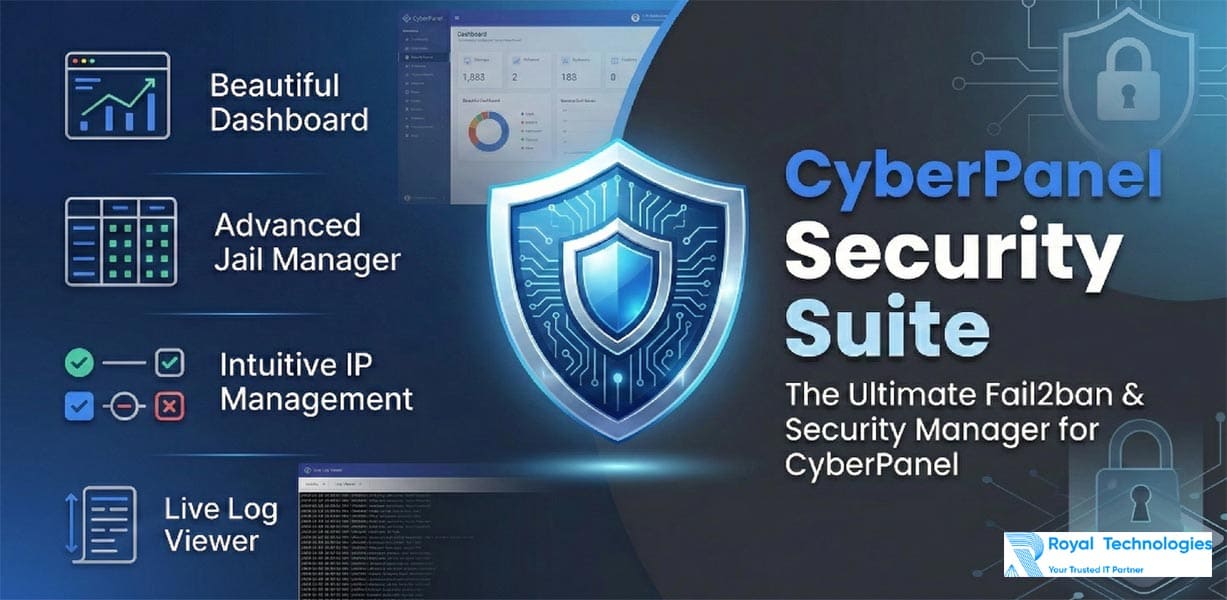
Key Features
- ✓ Beautiful Dashboard: Real-time overview of active jails, total banned IPs, and Fail2ban service status directly within CyberPanel.
- ✓ Advanced Jail Manager: View all your Fail2ban jails, check their current status, and see exactly how many IPs are currently blocked.
- ✓ Intuitive IP Management: Easily search, manually ban, or instantly unban IP addresses with a single click. No more complex CLI commands.
- ✓ Live Log Viewer: Read your
/var/log/fail2ban.logdirectly from the interface with an auto-refreshing UI. - ✓ CyberPanel 2.4.4+ Ready: Fully compatible with the latest CyberPanel versions and its new HTML structure.
- ✓ 100% Native Feel: Designed to look and feel exactly like a native CyberPanel module.
Why You Need This Plugin
Out of the box, managing security on Linux servers requires constant terminal access. If an important client accidentally gets banned, SSH-ing into the server to unban them takes time. With the Security Suite, you can instantly search for their IP and click “Unban” right from your browser.
Furthermore, the upcoming features on the roadmap—like GeoIP Analytics and full Country Blocking—will make this the ultimate firewall extension for any CyberPanel administrator.
How to Install (Takes 30 seconds)
Installation is completely automated. Just SSH into your server as root and run:
bash <(curl -s https://raw.githubusercontent.com/mehdiakram/cyberpanel-security-suite/main/install.sh)The installer will automatically handle Fail2ban dependencies, register the Python module, inject the sidebar UI, and restart LiteSpeed. It’s safe and reversible!
Full code from https://github.com/mehdiakram/cyberpanel-security-suite
I’ve installed CyberPanel using a non-root user account. Will the installation commands remain the same in this case? Also, could you confirm whether the latest CyberPanel release is fully compatible with this setup?
Yes, the installation commands remain the same, but CyberPanel actually requires root privileges to run properly. If it was installed using a non-root account, that account must have sudo access so the installer can execute system-level tasks. Otherwise, a full installation would not normally be possible.
As for compatibility, the latest CyberPanel release installs automatically when you run the official installer script, and it works best on supported operating systems such as Ubuntu 20.04/22.04 or AlmaLinux 8/9.
In short, using a non-root user is fine only if it has sudo/root privileges; otherwise CyberPanel cannot be installed because the installer needs system-level permissions.
Yes, the installation commands remain the same, but CyberPanel actually requires root privileges to run properly. If it was installed using a non-root account, that account must have sudo access so the installer can execute system-level tasks. Otherwise, a full installation would not normally be possible.
As for compatibility, the latest CyberPanel release installs automatically when you run the official installer script, and it works best on supported operating systems such as Ubuntu 20.04/22.04 or AlmaLinux 8/9.
In short, using a non-root user is fine only if it has sudo/root privileges; otherwise CyberPanel cannot be installed because the installer needs system-level permissions.